
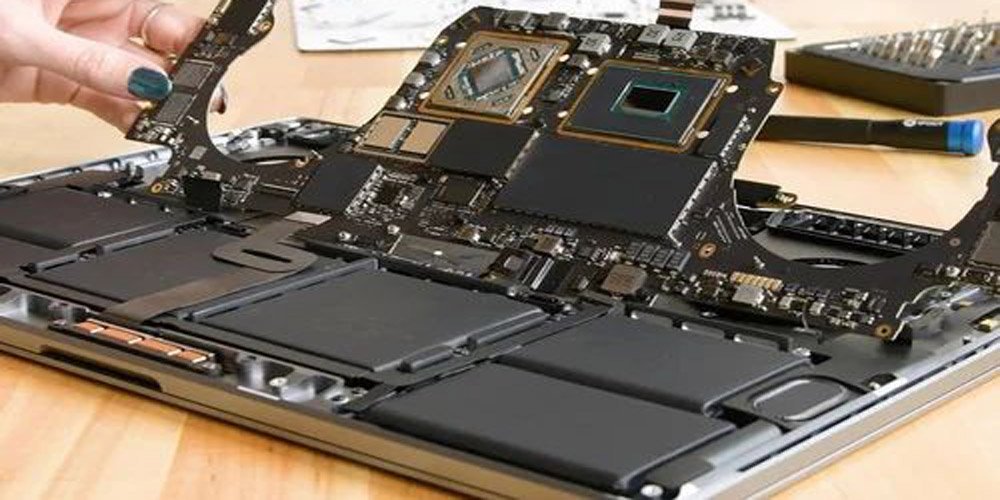
MacBook Motherboard Repair: Everything You Need to Know in Thane, Maharashtra
The motherboard—often called the logic board in Apple devices—is the heart of every MacBook. When it fails, your laptop may show symptoms like sudden shutdowns, no power, overheating, display issues, or random glitches. Because the logic board contains the CPU, GPU, storage controllers, power circuitry, and dozens of microscopic components, repairs require specialized knowledge and equipment.
Below is a clear, user-friendly breakdown of what MacBook motherboard repair involves, common issues, and what customers should expect.
Common Signs of MacBook Motherboard Failure
MacBook does not turn on or respond to the power button
Rapid battery drain or power fluctuation
No backlight or no display
Overheating despite light usage
USB ports or keyboard/trackpad stop working
MacBook restarts unexpectedly
Liquid spill damage leading to multiple hardware faults
Typical Causes of Logic Board Damage
Liquid spills (the #1 cause of logic board failure)
Overheating or poor ventilation
Burnt power ICs from faulty chargers
Short circuits due to dust or corrosion
Manufacturing defects (sometimes seen in older models)
What Logic Board Repair Includes
Professional logic board repair is performed at the micro-component level using advanced tools like microscopes, rework stations, and diagnostic software. It may include:
Component-level diagnostics
Replacement of failed chips (power IC, SMC, RAM chips, chokes, MOSFETs, etc.)
Cleaning and reversing liquid damage corrosion
Reballing or reflowing certain chips (depending on issue)
Restoring broken circuit lines or pads
Note: DIY logic board repair is not recommended, as it involves micro-soldering, high temperatures, and risk of further damage.
Repair vs. Replacement: Which Is Better?
Option Pros Cons
Repair Cheaper, keeps original hardware, environmentally friendly Not always possible if damage is severe
Replacement Fully restored board, stable performance More expensive, often tied to Apple-only service options
Independent repair shops typically offer more affordable component-level fixes compared to Apple’s full board replacement.
How Much Does MacBook Logic Board Repair Cost?
Costs vary based on model and damage. In general:
Minor component repairs: Medium to High
Severe liquid damage: Higher
Full board replacement (Apple): Significantly higher
A detailed diagnosis is usually required before giving an exact quote.
Why Professional Repair Matters
Certified technicians use proper tools, schematics, and donor boards to ensure:
Reliable long-term performance
No additional damage to surrounding components
Safe handling of sensitive chips
Professional cleaning and testing procedures
This ensures your MacBook is restored to stable, working condition.
Tips to Prevent Future Motherboard Failure
Use a high-quality charger
Avoid eating/drinking near the device
Keep ventilation paths clear
Have your MacBook cleaned periodically
Don’t ignore early warning symptoms (flickering screen, random shutdowns, overheating)